Overview#
There are three ways in which you can start a simulation with CESM. Which way you use is determined
by the xml variable RUN_TYPE in env run.xml. The three options are startup,branch and hybrid.
These have the following characteristics:
startup: all components are initialized using pre-defined baseline states that have been provided with CESM. So far we have only used this type of initialization
branch: all components are initialized using the complete set of restart files from a previous run.
The run continues on from the date that you restart from, so you can’t change the start date with a branch run.
The advantage of a branch run over the hybrid run is that it reproduces exactly (bit-for-bit) the solution that would be obtained if the original simulation that is used for the initialization were simply continued (provided no other changes have been made to the model).
This type of run is useful if you would like to change the output variables part way through a simulation.
hybrid: the simulation is initialized in a manner similar to a startup run, but instead of using the default initialization datasets, the initialization datasets are specified by the user, for example, they may be obtained from a previously performed simulation.
Unlike for a branch run, the start date can be modified by the user and this method of initialization does not result in bit-for-bit similarity with the run that it is initialized from.
This type of run is useful when you want to use a spunup, for instance if you want to start a 20th century after a long pre-industrial control
You specify the name of the previous run you want to start from and the date you want to start
from with the xml variables RUN_REFCASE and RUN_REFDATE and you can also specify the directory that contains the restarts with RUN_REFDIR.
Examples
For instance, the command to change RUN_TYPE to hybrid is:
./xmlchange RUN_TYPE=hybrid
If you do this, you also need to change the reference case and the reference date. For instance if the reference is case01 and the reference year is 0100-01-01 is can be done with:
./xmlchange RUN_REFCASE=case01
./xmlchange RUN_REFDATE=0100-01-01
Characteristics of different RUN_TYPE#
The characteristics of the different runtypes (startup, branch or hybrid) are illustrated in Figure 1.
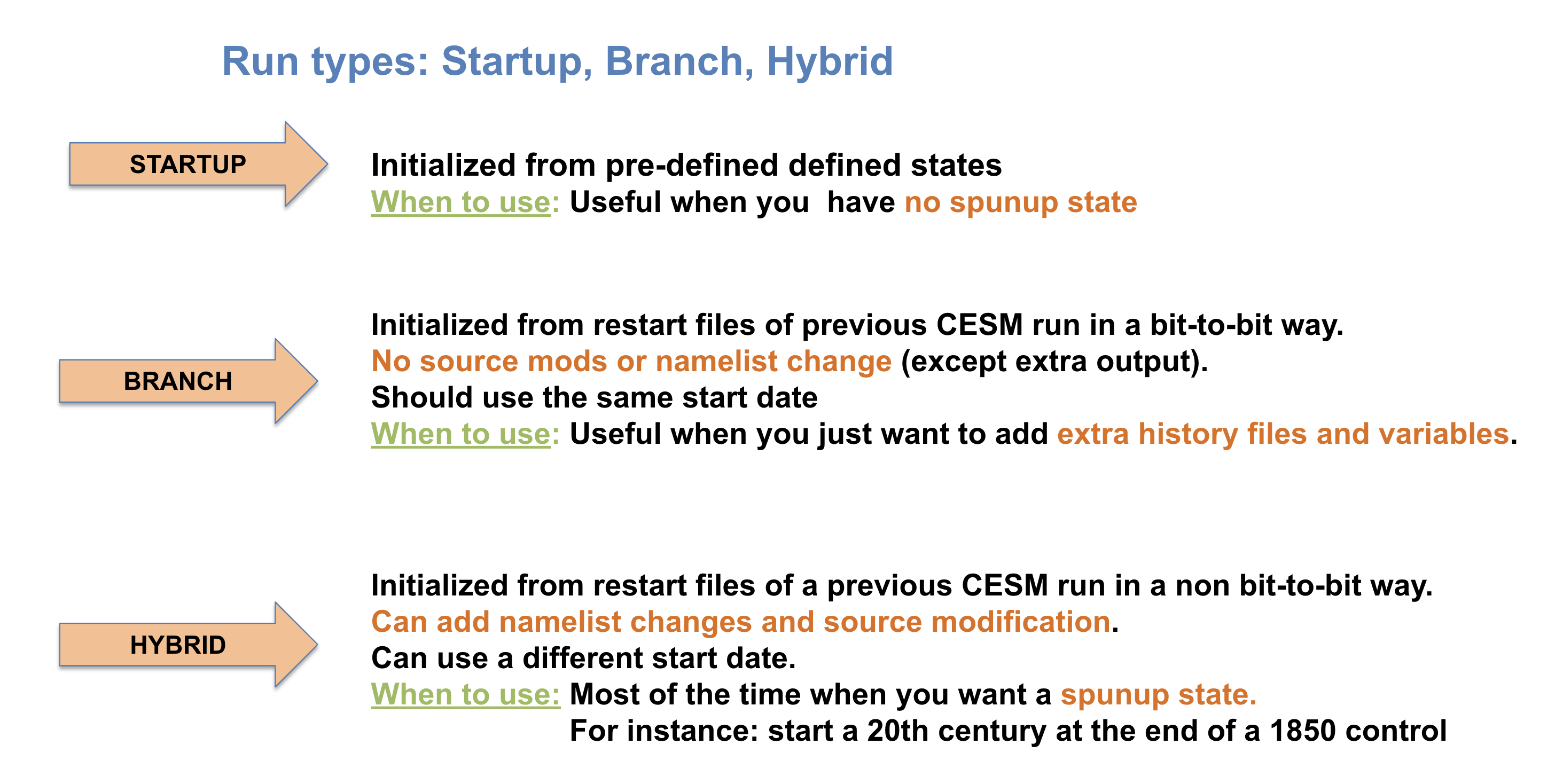
Figure 1: RUN_TYPE Characteristics.
Depending on the runtype, you need to set other xml variables.
As explained above, the variable RUN_TYPE determines the initialization type.
This setting is only important for the initial run of a production run when the CONTINUE_RUN variable is set to FALSE. After the initial run, the CONTINUE_RUN variable is set to TRUE, and the model restarts from the restarts and ignore the variable RUN_TYPE.
If the run is targeted to be a hybrid or branch run,
you must also specify values for
RUN_REFCASEandRUN_REFDATEand if the restarts are located in a directory other than your run directory, you should also specify
RUN_REFDIRto point to that location and setGET_REFCASE=TRUEto ensure the model obtains the restarts from that directory.
The variable RUN_STARTDATE is the start date (in yyyy-mm-dd format) for either a startup or hybrid run. In a branch run, this variable is ignored.