
Namelist Variables Documentation#
CESM provides extensive documentation for namelist variables, including descriptions, valid values, default settings, and the components in which they are used.
Complete documentation about the namelist variables can be found on the CESM webpage.
Note: CESM3 documentation is still under active development. As a result, some of the online namelist documentation and examples currently refer to CESM2. While directory names, component names, and some implementation details may differ between CESM2 and CESM3, the overall approach to searching for, understanding, and modifying namelist variables remains the same. The CESM2 documentation is therefore still a useful reference for learning how namelist settings work in CESM3.
When modifying a namelist, it is often helpful to consult the CESM documentation to understand the purpose and allowable values of a variable before making changes.
For instance, if you want to change the output frequency in CAM, go to the website and type the word frequency in the search box as illustrated in Figure 1.
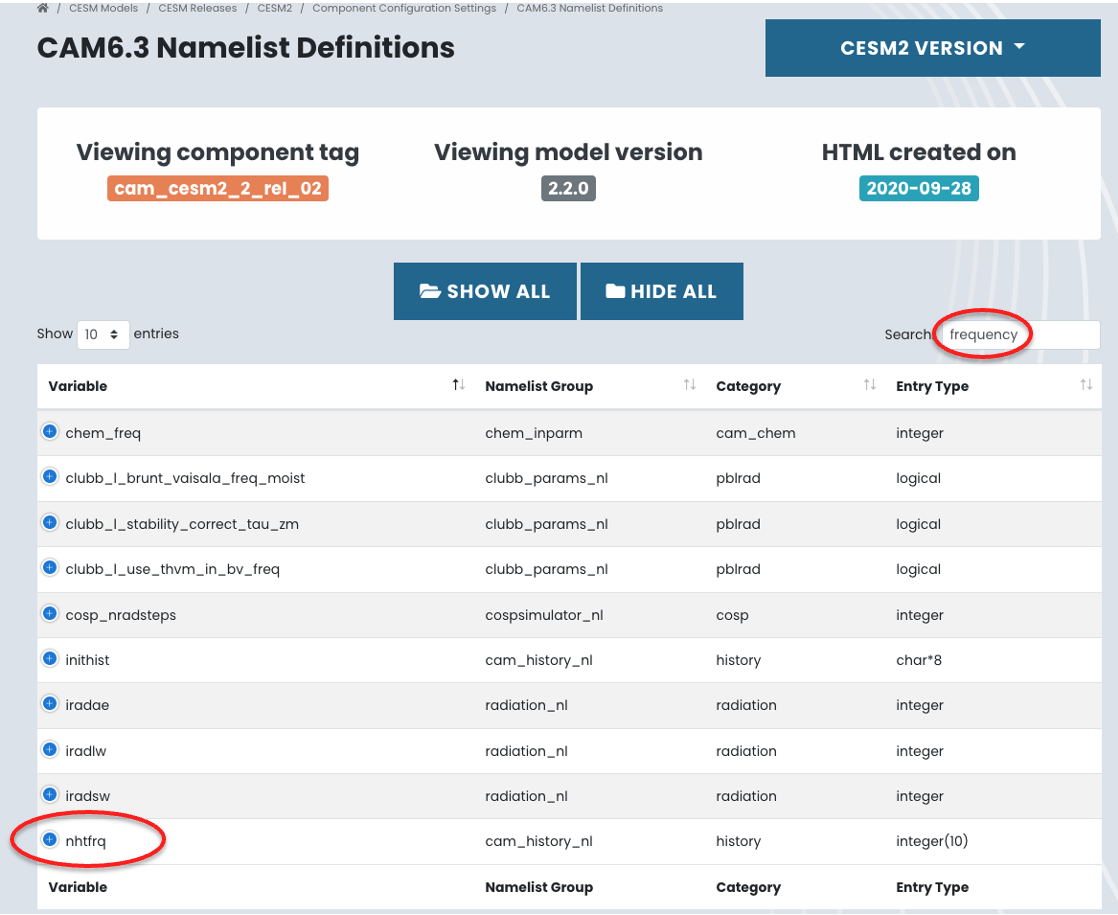
Figure 1: Search for a namelist variable.
The search results will include the namelist variable nhtfrq, as illustrated in Figure 1. nhtfrq is the variable you need in order to controls the frequency at which CAM history files are written.
If you click on + on the left of nhtfrq, this will return the attributes of the namelist variable as shown in Figure 2.
This provides detailed information, including:
A description of the variable.
The valid values and their meanings.
The default value.
The namelist group where the variable is defined.
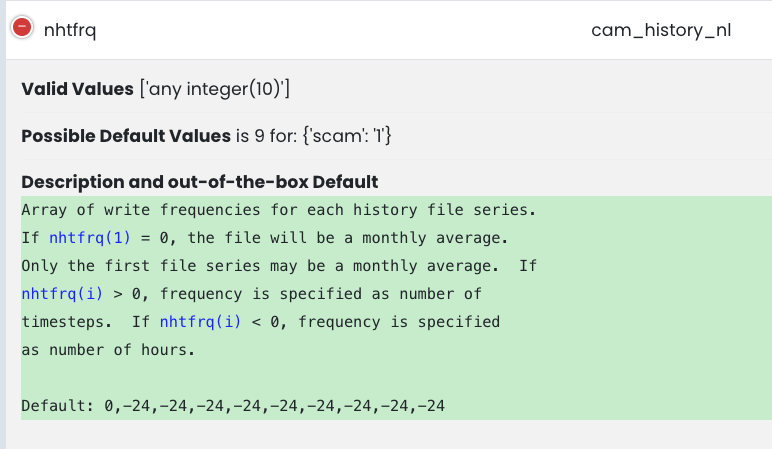
Figure 2: Attribute of a namelist variable: nhtfrq
When making namelist modifications, it is good practice to consult the documentation to verify that the variable exists, understand its behavior, and ensure that the specified values are valid.
In the following sections, you will learn how to use variables such as nhtfrq to customize CESM output.